Deploy and monitor conditional access authentication strength automated

Conditional access is an indispensable configuration setting in Azure AD. Conditional Access policies are in basic if-then statements, if a user wants to access a resource, then they must complete an action. Example: A payroll manager wants to access the payroll application and is required to do multi-factor authentication to access it. Or, it requires everyone to use multifactor authentication. Multifactor authentication can be a password in combination with an SMS or the use of the Microsoft Authenticator app for example. In the past, a user can choose to use SMS or the authenticator or what the admins provide you to use.

Continue Reading

Deploy and monitor conditional access authentication strength automated

Conditional access is an indispensable configuration setting in Azure AD. Conditional Access policies are in basic if-then statements, if a user wants to access a resource, then they must complete an action. Example: A payroll manager wants to access the payroll application and is required to do multi-factor authentication to access it. Or, it requires everyone to use multifactor authentication. Multifactor authentication can be a password in combination with an SMS or the use of the Microsoft Authenticator app for example. In the past, a user can choose to use SMS or the authenticator or what the admins provide you to use.

Continue Reading

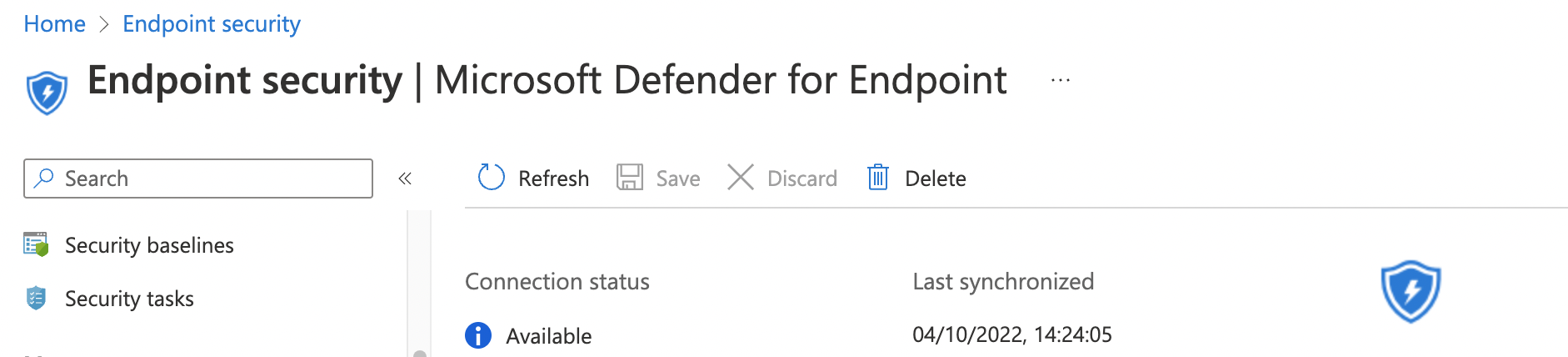
Enroll Defender For Endpoint automated

https://learn.microsoft.com/en-us/mem/intune/protect/advanced-threat-protection-configure

Microsoft Intune Connection -> On

Find the if there is a connector already. Otherwise, create one.

$url = "https://graph.microsoft.com/beta/deviceManagement/mobileThreatDefenseConnectors/fc780465-2017-40d4-a0c5-307022471b92"  #/fc780465-2017-40d4-a0c5-307022471b92
$request = Invoke-RestMethod -Uri $url -Method Get -Headers $authHeader
$request.value | ConvertTo-Json -Depth 9


$body = @{
  androidEnabled = $false
  iosEnabled = $false
  androidDeviceBlockedOnMissingPartnerData = $false
  iosDeviceBlockedOnMissingPartnerData = $false
  partnerUnsupportedOsVersionBlocked = $false
  windowsEnabled = $false
  partnerUnresponsivenessThresholdInDays = 6
} | ConvertTo-Json
$postRequest = Invoke-RestMethod -Uri $url -Method Patch -Headers $authHeader -Body $body
$postRequest

available-dfe-connector.png

Continue Reading

Move from WordPress to Azure Static Web App with Hugo and GitHub

We all know WordPress. It is a good platform for running websites with almost every purpose. Since the start of this blog, I also used WordPress. It has a lot of templates and plug-ins available. For me running this blog on WordPress was good enough. Now a few years later it became more a frustration than a pleasure to keep my website up and running. In this blog, I explain why and how I changed my website into a static webpage.

Continue Reading